Front panel, scope-style trigger, and persistence
What I tried
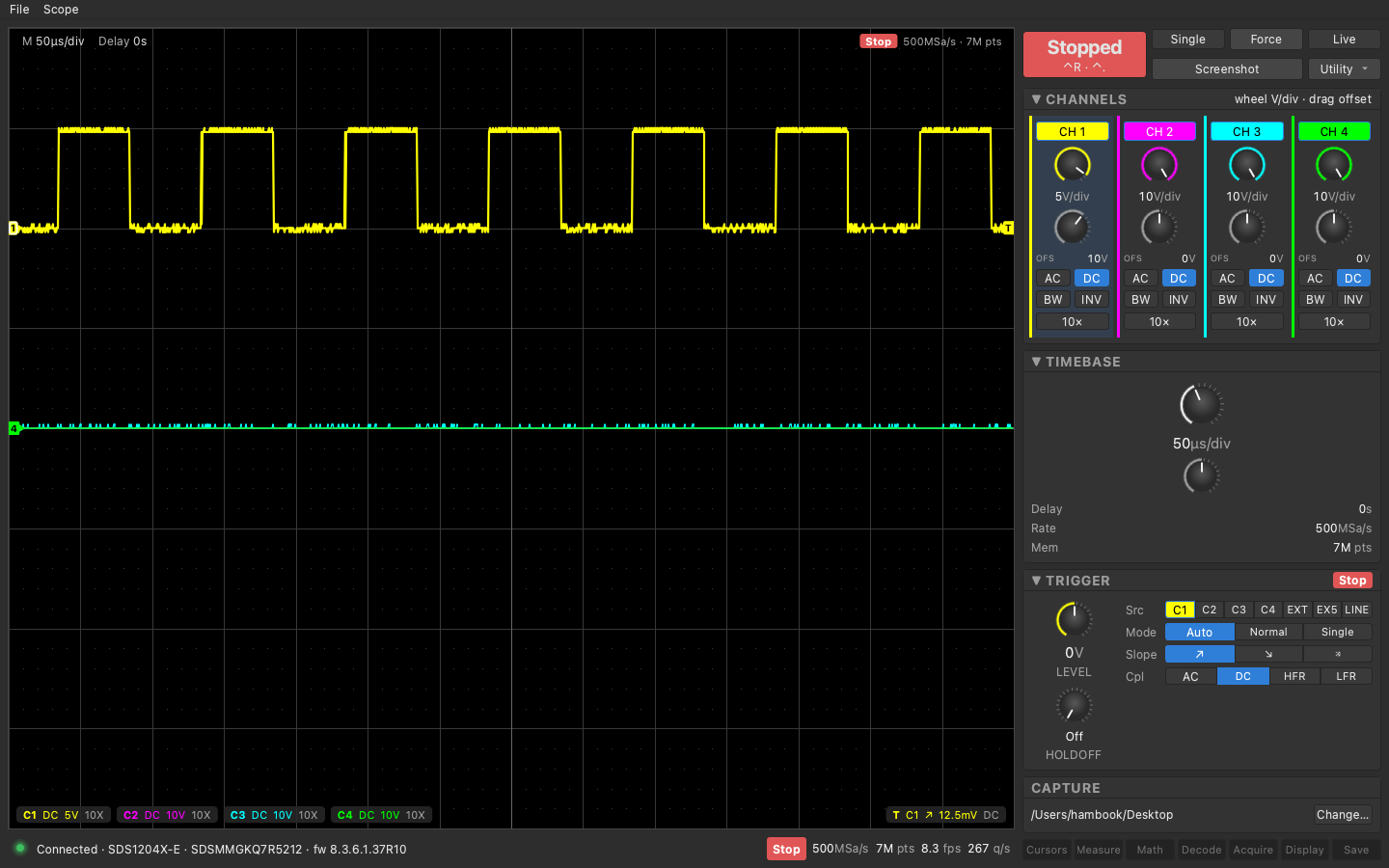
The first version worked but I couldn’t find Single, everything was a combo box, and turning a knob on the scope took over a second to show up. So version two copies the front panel. Four channel columns with a volts/div knob and an offset knob each, lit AC/DC/BW/INV buttons, a time/div knob, trigger source and slope as button rows, and a big Run/Stop. The trigger now works the scope’s way: pick Auto, Normal or Single, then press Run/Stop to go. Single re-arms a running scope instead of stopping it.
The knobs are painted with QPainter, 20 detents over 300 degrees, a colored arc showing where you are in the 1-2-5 ladder. Mouse wheel is one detent, vertical drag is 12 px per detent.
Auto Setup used to drag the whole link into recovery, so it moved into a Utility menu and now pauses the live feed, waits for the scope to answer again, does one full poll, and resumes. There’s a Pause/Live button for the same reason.
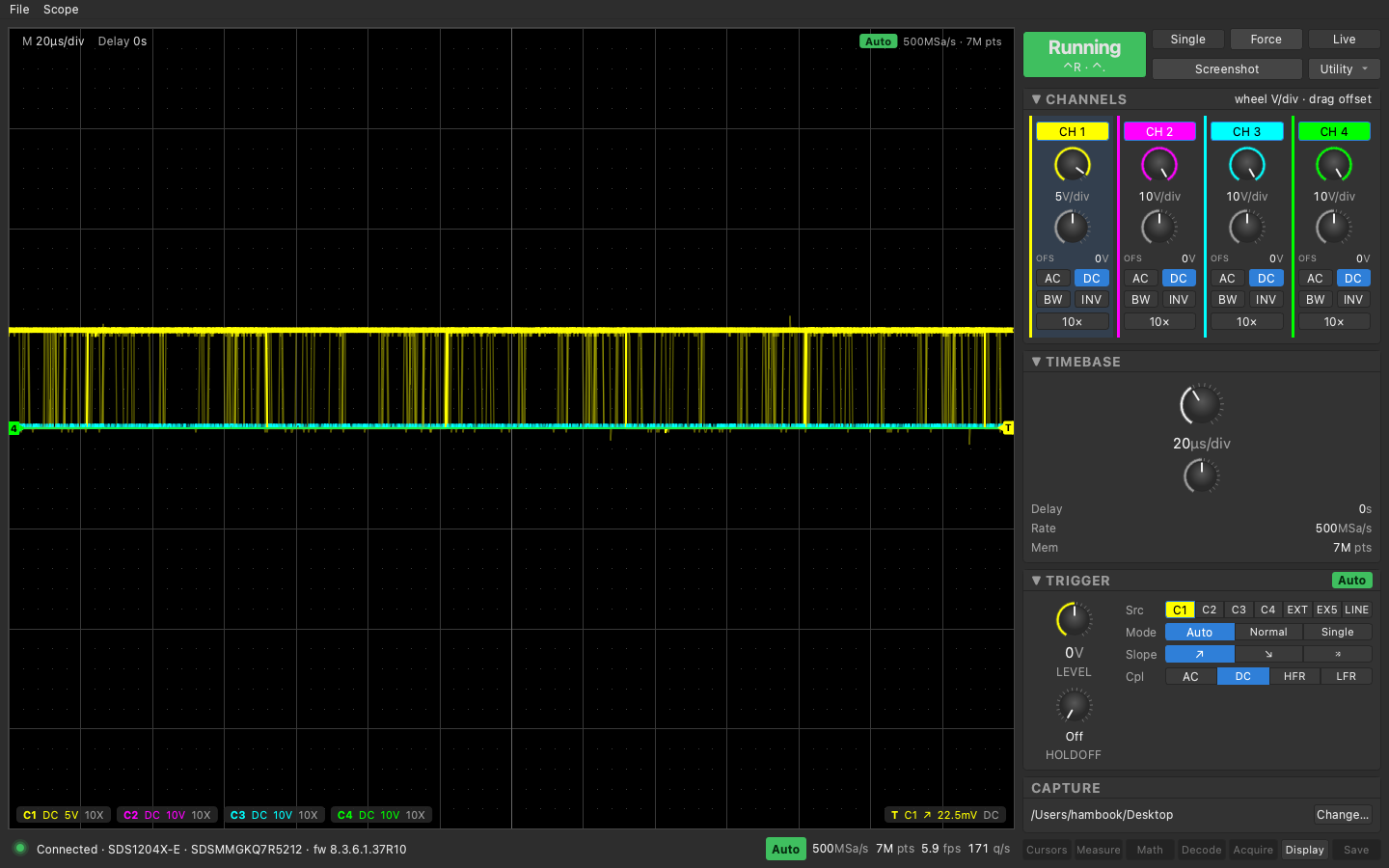
Then persistence. A Display card with Off, 1s, 5s, 10s, 30s and infinite. It sends the scope’s own PESU command so the scope screen matches, and the app keeps an accumulation image per channel, stamps each new sweep at low alpha, and multiplies the alpha down every frame for the timed modes. Live trace is drawn on top at full brightness. Then an intensity row because the persisted band was as bright as the live trace and you couldn’t tell them apart.
What I measured
- Full state poll: 276 ms before, 163 ms after moving the hot fields (scales, offsets, trigger level, run state) into every poll slice.
- Knob on the scope to panel in the app: about 0.2 s now, was about 1.2 s.
- Live round of 18 hot queries plus one 1400-point waveform: 8.8 rounds/s, p50 114 ms.
- Deep memory no longer matters for the live view: 14 Mpt at 1400 decimated points fetches in 352 ms.
- Auto Setup settles in about 4 s.
- Persistence stamp alpha 0.15 per sweep, so full brightness after about 30 overlapping sweeps. Layers are about 3.5 MB each at a 1440-wide window.
What broke or surprised me
- After
ASETthe scope is silent for about 3 s. The firstSAST?times out at 2 s and its reply arrives late. My transport checks the USBTMC tag on every reply, so that late reply made every following read fail, 22 errors in a row until the 8 s budget ran out. The Python harness, which doesn’t check tags, never saw it. Fix was to drain stale output inside the settle loop after any error. - 8-bit premultiplied alpha never reaches zero when you multiply it down by a factor near 1. Pixels get stuck at alpha 4. The fade pass now zeroes anything under 8 every eighth frame.
- A negative frame delta (clock jitter) would have made the fade factor exceed 1, produced an invalid QColor, and wiped the whole layer.
- A stably triggered square wave shows no persistence at all, every sweep lands on the last one. Same on the real scope. You have to let the trigger free-run to see the smear.
- Screenshot to the desktop with Ctrl+S still works, and the scope’s own dense persistence comes through that path.
Next
Cursors and measurements. Both menu keys are already on the panel, disabled. The SCPI for them is documented and I’ve already read PAVA? values off the scope in the first day’s spikes.